
Witcher 3 Remastered Graphics Presets Without Fake FPS
Ray tracing, path tracing, upscalers, and HDR — what to turn on first, and what to leave for a Kaer Morhen lighting test.
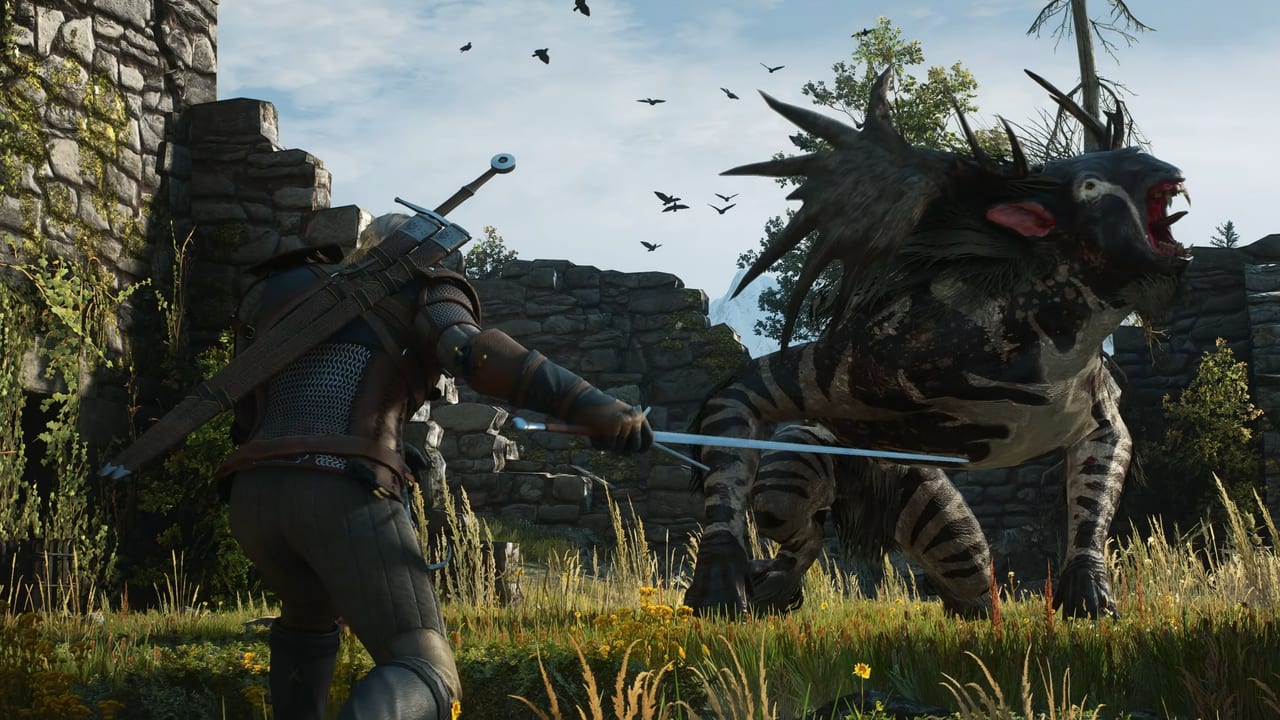
The Witcher 3: Wild Hunt — Remastered is a lighting project as much as a combat project. CD PROJEKT RED and Yigsoft rebuilt the shading model, the tone mapper, foliage, HDR, subsurface scattering, and the ray-tracing stack, then hung path tracing plus ray reconstruction off the high end. This page tells you how to approach those toggles on September 29, 2026 without a fake benchmark table. If your PC is still on Windows 10 or a hard disk, stop here and open System Requirements. If you have not claimed the client yet, use How to Upgrade and Platforms. The parent index is the Tools Hub.
Console notes up front: PS5 Pro has a dedicated support line — gamescom stream remarks from the community and developers talked about ray tracing at 60 FPS; that is a stream report, not a numbered benchmark this wiki invented. Xbox Play Anywhere handhelds have been called out for FSR 4. Switch 2 exclusives include Motion Patterns (whistle for Roach and steer her), from REDstreams Day 3 comments. This page is the PC menu. Handheld players should use an upscaler and a conservative RT toggle, not a desktop path-tracing profile.
Ray tracing versus path tracing
Ray tracing (the conventional RTGI / reflection / shadow family you already saw in the last-gen next-gen patch) is the default “make Novigrad dusk look expensive” switch. Remastered improves that stack and adds ray-traced hair. Hair rays are a portrait feature. They are not a combat feature. If your GPU is at the minimum line (GTX 1660 / RX 5500 XT / Arc A580), treat extra hair rays as the first thing to drop, not the last.
Path tracing is a different animal. It is PC-focused, expensive, and paired with ray reconstruction. CDPR has not published a path-tracing GPU table next to the minimum spec. High-end NVIDIA RTX-class hardware is the practical audience. Turning path tracing on at 1440p without an upscaler is how a free upgrade becomes a slideshow. This wiki will not invent a frame-rate for that slideshow.
A sane order of operations:
- Boot on a built-in preset (Low / Medium / High / Ultra, whatever the Remastered menu labels) that matches whether you are closer to minimum or recommended.
- Enable an upscaler before any RT experiment.
- Enable conventional ray tracing if the recommended GPU line is honest about your card.
- Enable path tracing last, on a save you do not mind standing still in, and only after hair rays, extra foliage, and motion blur have already been discussed with your GPU.
The What’s New list is the glossary for those extra terms (GTBO, SSS, tone mapper, rendering parallelization). You do not need to toggle each one individually on day one. Presets exist so you do not have to.
Upscalers: DLSS 4.5, FSR 4, XeSS 2.0
Remastered names three reconstruction stacks:
- NVIDIA DLSS 4.5 on GeForce cards that support it.
- AMD FSR 4 on Radeon cards and on Xbox Ally-class handhelds that CDPR already mentioned in the same breath.
- Intel XeSS 2.0 on Arc (A580 at minimum, B580 at recommended).
Frame generation is a separate switch from those upscalers. Official notes (via Notebookcheck) require an RTX 40-series GPU or newer. A 2060 Super that meets recommended can use DLSS 4.5 reconstruction; it should not be promised a frame-gen toggle.
Use the upscaler that matches the GPU vendor first. Mixing a vendor’s native stack with a foreign one is a troubleshooting step, not a day-one flex. Quality / Balanced / Performance modes will exist; start on Quality at your native resolution, then step toward Balanced if the scene is a city vista rather than a swordfight. Do not jump to a Performance mode plus path tracing plus hair rays and then blame the remaster.
Native resolution without an upscaler is a valid choice on a recommended GPU if you are not using path tracing. Native plus path tracing is the expensive hobby. Pick one hobby per night.
HDR, foliage, and the rest of the visual list
HDR improvements are on the feature list. Calibrate HDR from the OS first (Windows HDR, console HDR), then from the in-game slider. A crushed tutorial is usually a Windows HDR paper-white problem, not a missing “Witcher LUT.” If the image looks bleached, turn HDR off, reboot the overlay, and come back. The rebuilt tone mapper will interact with HDR; that is expected, not a bug report by itself.
Foliage, textures, and NPC detail are why the SSD is mandatory. If leaves pop on a drive you swore was an SSD, check that the library is not on an HDD you forgot about. Motion blur has a refreshed pass; if you hated 2015 blur, it is still the first cosmetic to disable and it will not change combat timing the way Controls will.
Photo mode and transmog are not graphics-settings features, but they are why you might crank shadows for a five-minute Kaer Morhen shoot and then put the preset back. Remastered is expanding that camera; Photo Mode covers the REDstreams Day 4 overview plus the existing next-gen shortcuts (U on keyboard, L3+R3 on PlayStation, LS+RS on Xbox), with stills in Documents\The Witcher 3\screenshots. Cross-platform mods via mod.io ship with the remaster — in-game menu, mod.io plus CDPR accounts, Switch 2 in the console rollout per press, Nexus still the PC workshop. Not every PC mod will be on console. Details live on Mods. Do the shoot after the contract.
Suggested presets (still no fake FPS)
These are starting points, not promises.
- Minimum GPU (1660 / 5500 XT / A580). Medium preset, upscaler on Quality or Balanced, conventional RT off or on the cheapest available toggle, path tracing off, hair rays off, HDR optional. 1080p is the honest resolution.
- Recommended GPU (2060 Super / 6600 XT / B580). High preset, upscaler on Quality, conventional RT on if the menu offers a “medium RT” style tier, path tracing off, hair rays optional, HDR on if the display is actually HDR. 1080p or a light 1440p.
- High-end PC (well above recommended). Ultra raster, conventional RT on, then a separate save for path tracing plus ray reconstruction plus DLSS/FSR/XeSS Quality. Frame generation only on RTX 40-series or newer (Notebookcheck). Hair rays on for portraits. Do not use this profile as the Death March default until you have walked Novigrad at dusk and a forest at dawn without stutter.
- Xbox Play Anywhere handheld. FSR 4, conservative RT, path tracing off, 1080p-class internal resolution. Borrow the minimum preset, not the desktop ultra.
- PS5 Pro / Series X living room. Use the platform’s named mode if CDPR ships one. Do not hunt a PC path-tracing toggle that is not on the console menu.
After you pick a preset, walk the Kaer Morhen courtyard and one Novigrad street. Those two lighting tests tell you more than a screenshot of a waterfall. If the courtyard hairs shimmer and the street crawls, you turned on path tracing too early. Turn it off, keep the upscaler, and go play. Graphics settings are a means to reach Getting Started, not a second campaign. The remaster is still a single-player RPG; the only thing that should stutter is a griffin, not your frame time.
Frequently Asked Questions
Quick answers about the Remastered upgrade, builds, and story.
Should I enable path tracing on day one?
Only on a high-end PC, after an upscaler is already on, and never as the first toggle. Path tracing is PC-focused and expensive. Minimum-spec cards should leave it off.
Which upscaler should I use?
DLSS 4.5 on NVIDIA, FSR 4 on AMD (and on Xbox Ally-class handhelds CDPR called out), XeSS 2.0 on Intel Arc. Start on Quality at your native resolution.
Does this page list FPS numbers?
No. CDPR has not published Remastered frame-rate targets next to the GPU table, and this wiki does not invent them. Presets above are support-line starting points.
Why does HDR look washed out?
Calibrate Windows or console HDR first, then the in-game slider. The rebuilt tone mapper will interact with HDR. If the image is bleached, disable HDR, fix the OS, and retry.
Is ray-traced hair worth it in combat?
It is a portrait feature. Leave it off on minimum GPUs and during Death March contracts. Turn it on for Photo Mode, then put the combat preset back.
Does frame generation run on a recommended RTX 2060 Super?
Not according to official notes summarized by Notebookcheck: frame generation needs an RTX 40-series card or newer. Use DLSS 4.5 reconstruction on older RTX cards; do not treat frame gen as part of the recommended row.